Shipwork for Chrome
Check any page’s SEO. Without leaving it.
Open the popup on the page you are looking at. It reads ten signals in your browser and shows the two worth fixing first. When you want the whole site, one click runs a free audit.
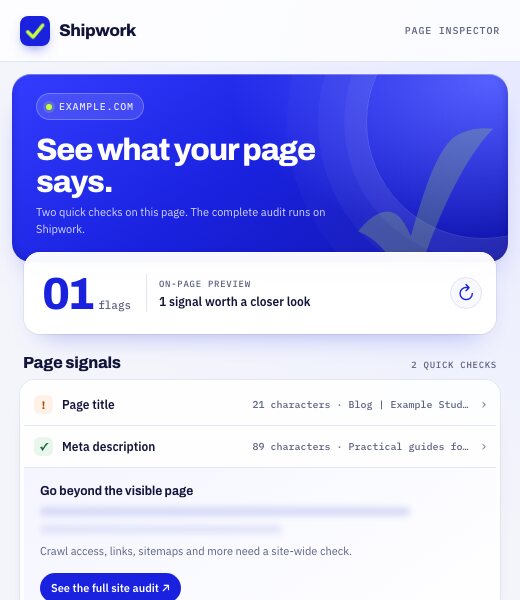
In the popup.
Three states, exactly as the extension draws them.
- A useful first look
The signals on the page in front of you, and the one worth a closer look.
- Go beyond one page
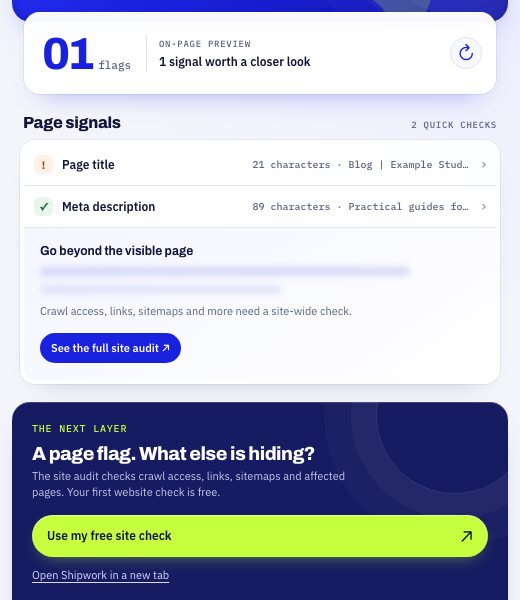
From page signals to crawl access, links and sitemaps, with one free site check.
- Clear limits, a way forward
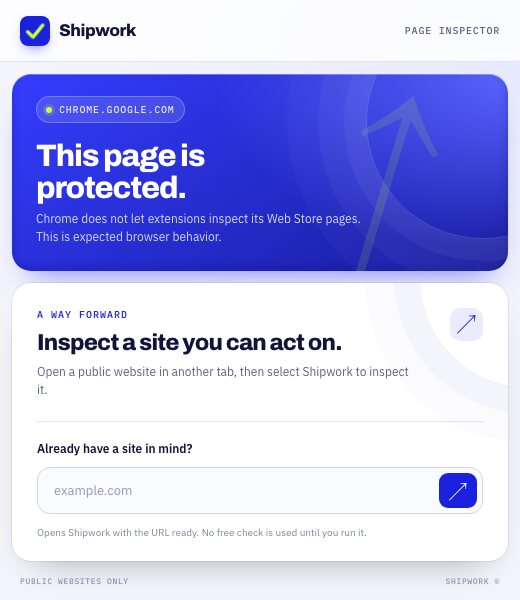
On pages Chrome protects, a plain explanation and a path to your own site.
Ten signals, read where you are.
The same markup a crawler reads, checked the moment you open the popup. It points out the two that matter most for that page instead of flagging every small variation.
- Page titlePresent, specific, and not a generic placeholder.
- Meta descriptionWhat your search snippet is likely to say.
- Canonical URLWhich address the page asks search engines to index.
- Robots metaWhether a noindex or nofollow is switched on.
- H1 headingsOne clear main heading, not zero or five.
- Hreflang linksLanguage and region alternates, if any.
- Structured dataWhich JSON-LD types the page declares.
- Open Graph tagsHow the link looks when it is shared.
- Images without alt textImages that say nothing to a crawler.
- HTML languageThe language the document declares.
From one page to the whole site.
The popup covers what one tab can see. The site check covers what it cannot.
- Open any page
A product page, a blog post, a competitor. Click the Shipwork icon in the toolbar.
- Read the two signals
Each one says what is wrong and what to change, with a title suggestion taken from your own heading when it helps.
- Run the free site check
Crawl access, sitemaps, internal links, canonicals and orphan pages. The full report opens on shipwork.io.
What stays, and what goes.
Stays in your browser
The page preview: title, description, canonical, robots, headings, hreflang, structured data, Open Graph, alt text and language. It is read and shown locally, and never sent anywhere.
Sent only when you ask
The page address, when you press “Use my free site check.” Shipwork audits the public site and keeps the report so you can reopen it. Details in the privacy policy.
Questions
Is the Chrome extension free?
Does it send my page content anywhere?
What does the free site check add?
Does it work on Shopify and WordPress?
What happens on pages Chrome blocks, like chrome:// pages or the Web Store?
Ten signals, one click away.
Free on the Chrome Web Store.